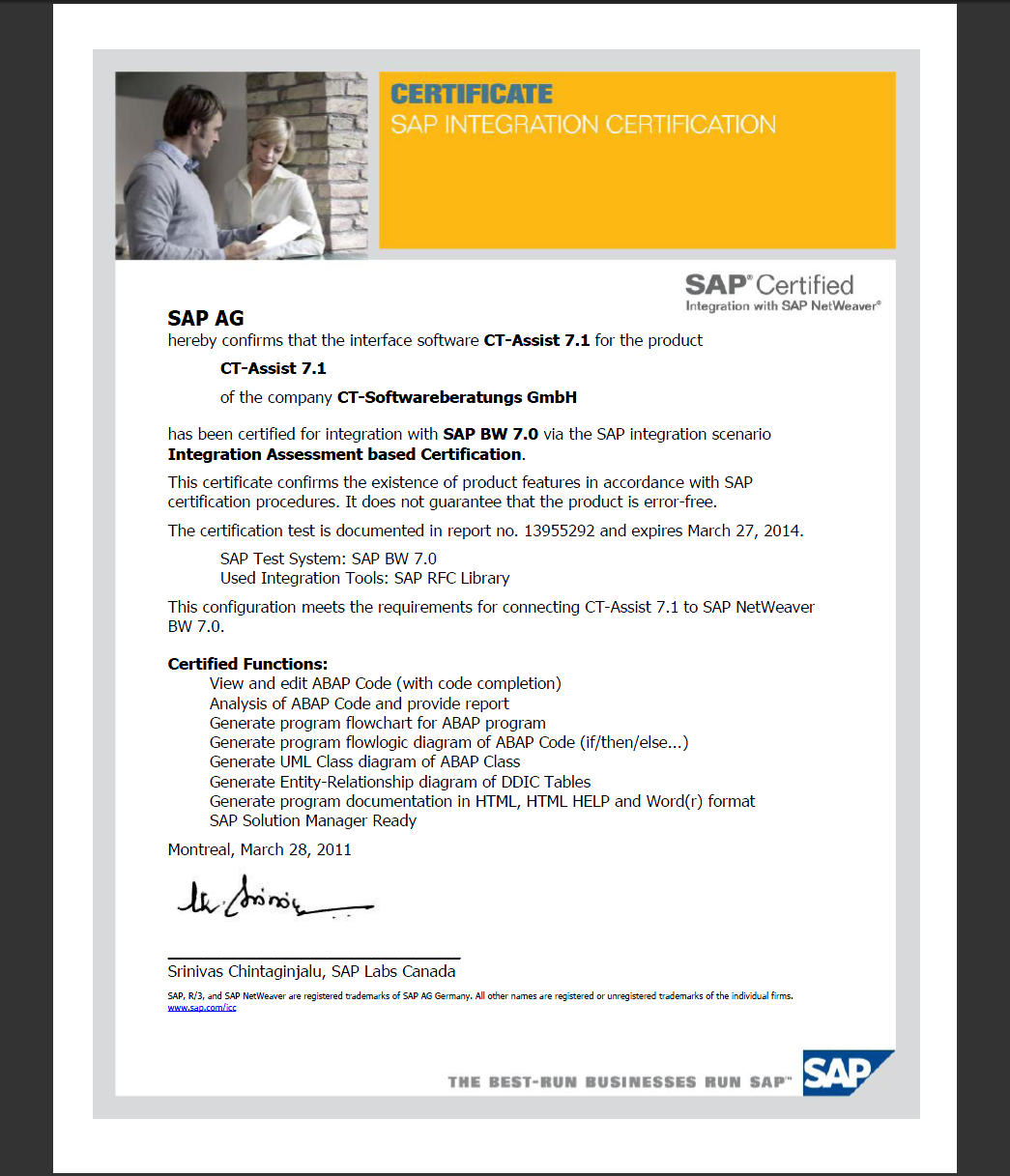
| |
The software technology of SAP® AG is based on the programming language ABAP™.
The goal of the CT-Assist is to optimize and reduce costs of standardized IT processes.
More than 850 add-on functions in the areas of ABAP™ documentation, BW/BI documentation and analysis, visualization, quality management, IT organization and IT revision are available:
- Generation of ABAP™program documentation and user documentation
- Visualization of ABAP™ source code (CALL graph, flow logic, ER diagrams, UML diagrams)
- Analysis of ABAP™ coding (program analysis, statistics, check lists, documentation guidelines)
- IT-Workflow control and reporting
- Generation of SAP® Business Warehouse documentation and analysis of BW/BI applications
- 'Live Code- Completion' for ABAP™ and ABAP™-Objects; 9 interactive software assistants
| 1. Generation of ABAP™program documentation and user documentation ... |
| The CT-Assist is able to generate program documentation on the basis of ABAP™ source code. Templates are used during the generation process, so you can generate different documents for different target groups (e.g. a full detail documentation for the development department or a smaller documentation with less details for the function department). It is possible to add external files to the ABAP™ source code (e.g. screenshots, Power Point® presentations, Word® files); these attached files are then automatically included in the generated documentation. |
| - |
Analysis and display of ABAP™ source code (in both text and graphic)
A central part of the generated ABAP™ documentation is the program analysis and dual display of source code as text and graphic. |
| - |
Multiple documentation formats
The documentation can be generated in the following formats
Microsoft® Word - Format / RTF
Zipped-Microsoft® Word - Format / RTF
Plain HTML- Format - Intranet
HTML Help Format - Compact Help format with full text search
|
| - |
Different ABAP™ source code objects are supported
You can add docu to single ABAP™ includes, function modules, transactions, programs and ABAP objects methods. |
| - |
Jump from the coding to additional documents via double click
Single documentation elements (e.g. screenshots, check lists, graph elements, notices, documents) can be attached to ABAP™ source code lines. Via double click you can jump to these documents directly from within the CT-Assist ABAP™ source code display. |
| - |
External documents can be integrated into the program documentation
External documents and working papers (e.g. program specifications, email, minutes of meetings, maintenance forms, Excel® tables, Word® documents, screenshots, etc.) are automatically integrated into the generated documentation. The complete documentation, including all attached files and the ABAP program source code is zipped together into a single container file which can then be stored on a central file server. Alternatively the files can be compressed into an html help file. |
| - |
Automatic extraction of system/inline documentation (e.g. ABAP™ source code comments)
The CT-Assist also analyzes the ABAP source code comments. You can add special comments to the ABAP source code; these comments are extracted during the docu generation processes and information is added to the documentation. Besides special comments like ABAPDOC, standard subroutine comments are also parsed. Further, the standard SAP docu is also automatically integrated into the documentation. The standard docu means Program Docu, Function Module Docu, Function Module Parameter Docu, Method Docu, Method Parameter Docu and Class Docu. This feature is well known in the Java World: JavaDoc. |
| - |
All documentation files of ABAP™ source code are stored in a single central data container
The entire documentation components are stored in a single zipped container file and can be easily moved from the development environment to the production environment. As a result the zip file can also be stored at the SAP® knowledge portal (via portal drive) or other document management systems (e.g. via ftp access). If a user adds documentation to the ABAP™ source code, it is automatically added to the central zip file. |
| - |
Maintain documentation container and search for docu elements
With the docu administration function you can manage the content of a documentation container and you can search for specific texts. |
| - |
The complete program documentation on a 'time line'
For each program version you can generate a 'complete' documentation. This special documentation includes the source code and all docu files. It can later be used (together with its docu) to compare different program versions. |
| 2. Visualization of ABAP™ source code (CALL graph, flow logic, ER diagrams, UML diagrams) |
Why is the visualization of ABAP™ coding useful?
During the program development or maintenance the visualization of ABAP source code represent a meaningful opportunity to gain an overview of complex (program/logic) structures.
You can use the generated diagrams to
| - |
get a quick overview of the program logic |
| - |
inform your development team during a team meeting |
| - |
prepare the next program development steps |
| - |
locate a special source code routine |
| - |
get an idea how to do a program modification |
| - |
add to the program documentation |
The CT-GraphAssist analyzes, layouts and visualizes ABAP™ source code
The tool analyzes and compresses the ABAP™ logic to get an overview of the relationship between certain source code parts: ' ... a picture is better than 1000 words ...'
Analysis and display of ABAP™ source code as flow logic
The CT-Assist flow logic feature shows the detailed program flow by parsing IF, CASE, WHILE and LOOP statements. You can create flow logic diagrams of forms, function modules, OO methods or of marked source code lines.
Screenshot: Analysis of ABAP™ coding with the help of Flow-Logic |
|
A more detailed look at ABAP™ call graphs
Call graphs can be useful if you analyze the source code during maintenance or development. The CT-Assist parses the complete source code of a program/function group/ABAP™ class and shows the relation of each form/function/method to each other. The diagram is automatically routed with the help of the award-winning algorithms of AT&T. Via double click you can always jump from the source code to the graph and back.
Screenshot: Analysis of ABAP™ source code with the help of a call graph |

Enlarge screenshot
|
| 3. Analysis of ABAP™ coding |
| One essential requirement for efficient development and maintenance of ABAP ™ programs is the analysis and evaluation of customer-specific ABAP™ source codes. These include among other things: |
|
| - |
Software metrics |
|
| - |
Analysis of code sequences and variables |
|
| - |
Analysis of security relevant ABAP™ commands |
|
| - |
Analysis to improve performance |
|
| - |
User-defined code analysis |
|
The CT Assist offers different analysis templates, which can be used to search multiple source code objects. Each template has a different analysis focus. Besides single programs, the tool can also analyze complete packages (development classes) and manually selected groups of ABAP programs. |
|
 |
|
 |
| 4. IT-Workflow control and reporting |
| The CT-Assist can help to organize your software development and maintenance of ABAP related projects. For example the tool includes many forms and it is possible to add external documents to each form. Many other features can be used to organize the IT workflow: |
| - |
Workflow forms |
|
| - |
Documentation checklists |
|
| - |
Code analysis |
|
| - |
Software metrics |
|
| - |
Graphic code display |
|
| - |
Docu specifications |
|
| - |
Automatic docu generation |
|
|
|
|
A screenshot of 'IT workflow' functions ...
Enlarge screenshot
A screenshot of template 'Modification of program requirements' 
Enlarge screenshot
|
 |
| 5. Generation of BI/BW documentation and analysis of BW applications ... |
All objects of a BW data model and their relation to each other are documented. An integrated tree view (e.g. in the HTML Help Output) helps to get an overview on the data model. On the detail level further information on the data model is available:
|
|
| - |
InfoCubes, |
|
| - |
Transformations (e.g. formulas, ABAP™ routines), |
|
| - |
DataStore objects (DSO) |
|
| - |
InfoSources |
|
| - |
DataSources |
|
| - |
InfoObjects |
|
| - |
Process chains |
|
| - |
Dataflow analysis on InfoObject level |
|
| - |
Where-used list of objects, |
|
| - |
Flow logic ... |
|
| |
|
|
Screenshot example : Data Flow Inbound
Enlarge screenshot
|
 |
|
| 6. 'Live Code Completion' for ABAP™ and ABAP™ Objects, 9 interactive software assistants ... |
Continuous live support during ABAP™ program development process with 9 background software assistants that feature more than 120 functions. "Software assistants" is our term for special "ABAP™ code completion" features: |
|
| - |
Data Assistant
Long meaningful variable names can be copied into the coding after typing 2 or 3 letters. |
|
| - |
Command Assistant
Automatic code complementation of ABAP™ commands (adaptive, best guess tool tips). |
|
| - |
Object Assistant
Special dynamic support for ABAP™ Objects, virtual class listing, declaration, entities, etc. |
|
| - |
Browser Assistant
Quick selection and assignment of variables and program objects, sort routines. Your helper even in time-consuming situations.
|
|
| - |
Template Assistant
More than 100 code snippets for the practiccal use and dynamic template generation.
|
|
| - |
Structure Assistant
Select specific table fields through popup windows located at the cursor position. |
|
| - |
Info Assistant
Context-sensitive declaration help via tool tips. |
|
| - |
Reference Assistant
Managing the command reference with more than 3,500 entries as a tree for dynamic selection |
|
| - |
Analyze Assistant
Advanced code folding, outline functions, LIVE-replace, information pool, etc. |
|
Screenshot example: Code completion
Enlarge screenshot
|
 |
|
|
|